基于Hugo的blog搭建
1. macOS安装Hugo
brew install hugo
验证安装
hugo version
实际安装版本:hugo v0.148.2
2. 创建Hugo博客项目
hugo new site mackyan --format yaml
cd mackyan
3. 添加主题
选择主题:以PaperMod为例
git init
git submodule add --depth=1 https://github.com/adityatelange/hugo-PaperMod.git themes/PaperMod
如果是 clone 了其他人的博客项目进行修改,则需要用以下命令进行初始化:
git submodule update --init --recursive
如果需要同步主题仓库的最新修改,需要运行以下命令:
git submodule update --remote
4. 设置主题
vim hugo.yaml
添加内容
theme: PaperMod
5. 写第一篇文章
hugo new posts/first.md

vim content/posts/first.md
新建的文章位于content/posts目录下,编辑内容如下:
---
title: "First Blog Post"
date: 2025-08-03
draft: false
---

欢迎来到我的 Hugo 博客!
6. 本地预览博客
hugo server -D
打开浏览器访问:http://localhost:1313
7. 配置博客信息(可选)
修改hugo.yaml中加入更多信息:
baseURL: "https://mackyan.github.io/"
languageCode: zh-cn
title: Mack Yan
theme: PaperMod

enableEmoji: true

pagination:
  disableAliases: false
  pagerSize: 10

params:
  author: Mack
  ShowToc: true
  ShowReadingTime: true
  ShowPostNavLinks: true
使用Github Actions自动部署
详细配置步骤参考资料2和资料4。
目前有两个仓库:
- mackyan(private):hugo博客的根目录
- mackyan.github.io(public):存放hugo生成的静态文件,即mackyan/public目录
在mackyan根目录下建立.github/workflows/hugo.yml文件,配置如下内容:
name: deploy

on:
    push:
    workflow_dispatch:
    schedule:
        # Runs everyday at 8:00 AM
        - cron: "0 0 * * *"

jobs:
    build:
        runs-on: ubuntu-latest
        steps:
            - name: Checkout
              uses: actions/checkout@v2
              with:
                  submodules: true
                  fetch-depth: 0

            - name: Setup Hugo
              uses: peaceiris/actions-hugo@v2
              with:
                  hugo-version: "latest"

            - name: Build Web
              run: hugo

            - name: Deploy Web
              uses: peaceiris/actions-gh-pages@v3
              with:
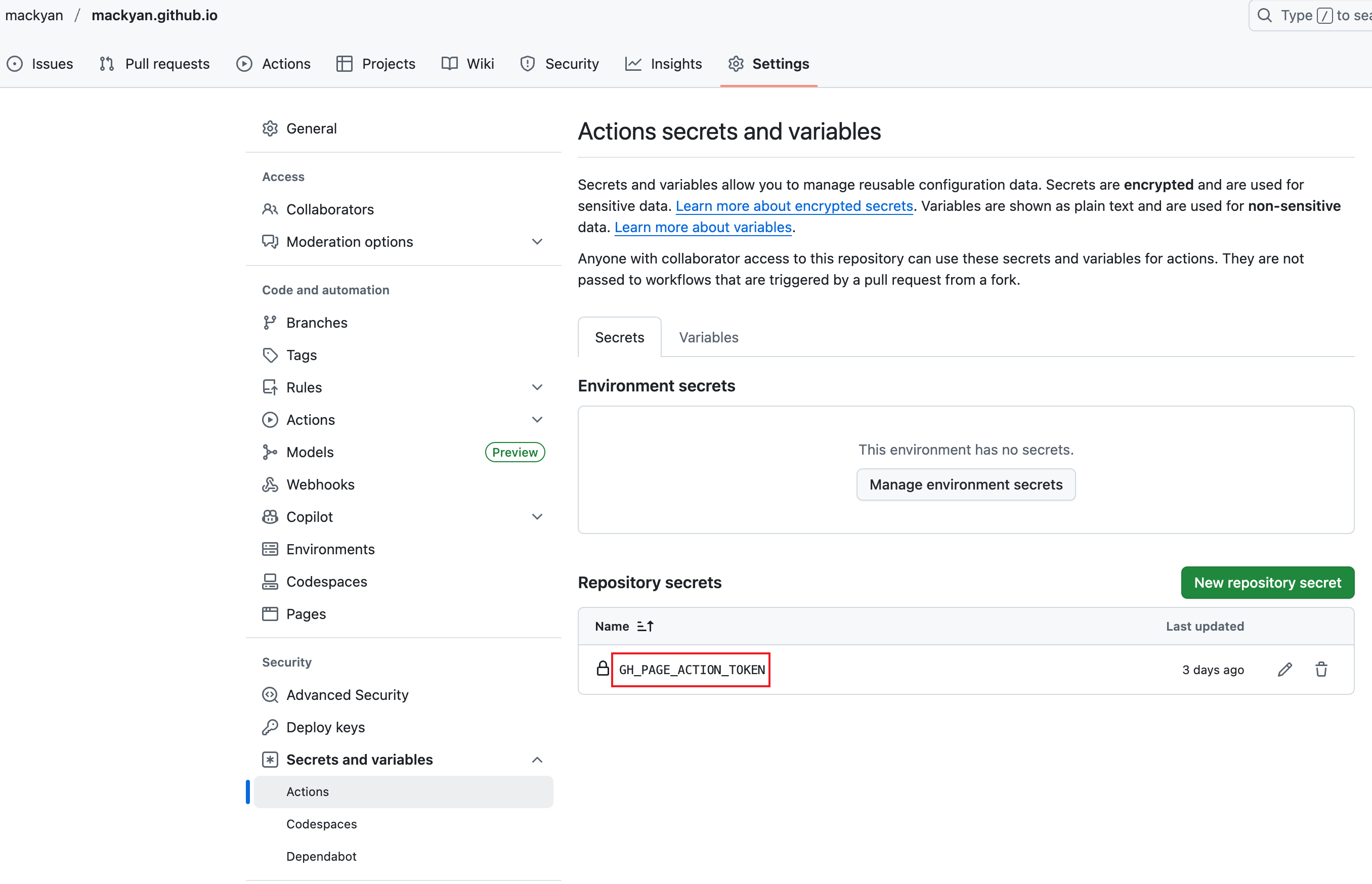
                  PERSONAL_TOKEN: ${{ secrets.GH_PAGE_ACTION_TOKEN }}
                  EXTERNAL_REPOSITORY: mackyan/mackyan.github.io
                  PUBLISH_BRANCH: main
                  PUBLISH_DIR: ./public
                  commit_message: ${{ github.event.head_commit.message }}
其中PERSONAL_TOKEN根据下图创建和使用:
总结
当完成以上环境的部署之后,接下来的常见操作就是:
-
hugo new posts/xxx.md新建文章(或者 hugo new posts/xxx/index.md)
-
添加或修改文章内容
-
上传push更新修改到GitHub
-
自动执行github actions,生成静态文件,部署到xxx.github.io的github pages
-
个人网站查看网页文章是否生效